Sometimes a WordPress Website Down issue keeps coming back even after restoring backups and scanning for malware. This was one of the most interesting WordPress security cases I have worked on.
The website was a South African WooCommerce store that sells more than 25,000 products every year. According to the client, the website was going down every few days. Most of the time, visitors saw a 403 Forbidden error. Whenever this happened, the client restored a backup. The website became live again, but after a few days, the same problem returned.
The client contacted me on Fiverr, and I accepted the project for only $40.
After getting access to the WordPress dashboard and hosting account, I started the investigation.
My first step was to replace all WordPress core files with fresh files downloaded from the official WordPress website. As soon as I replaced the core files, the website became live again.
Next, I scanned the website using both Wordfence and Virusdie. Surprisingly, neither scanner detected any malware or suspicious files.
At that point, I updated the website security, shared the initial report with the client, and requested 24 hours of monitoring before closing the order.
However, less than 12 hours later, the website went down again.
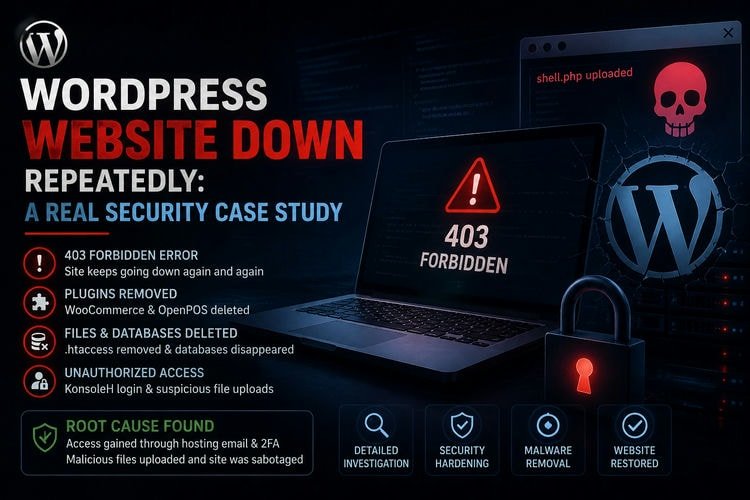
This time, I found that the WooCommerce plugin and the WooCommerce OpenPOS plugin had completely disappeared from the plugins directory. They were not only deactivated. Their folders had been removed from the server.
This was unusual.
I uploaded fresh copies of the missing plugins and continued my investigation.
Over the next several days, I checked almost everything I could access.
I reviewed file permissions, SSH activity, FTP users, login history, cron jobs, recently modified files, WordPress integrity, uploads directory, hidden files, PHP configuration, and server logs. I also replaced all themes and plugins with fresh copies to make sure no infected files remained.
The uploads folder was also manually inspected. It contained only media files and WooCommerce export files. There were no suspicious PHP files.
Still, the problem continued.
Then things became even more serious.
The website went down again. This time, the .htaccess file disappeared, important WordPress files were removed, and several MySQL databases were deleted from the hosting account.
At this point, it was clear that this was not a normal WordPress malware infection.
I worked closely with the hosting provider during the investigation. They checked SSH logs, FTP logs, KonsoleH access logs, and other server-side records.
Finally, the hosting investigation found the real cause.
Someone had successfully logged into the hosting account through KonsoleH using valid credentials. The logs also showed that malicious files such as shell.php were uploaded before the website files started disappearing.
The investigation indicated that the person had access to the hosting email account used for KonsoleH two-factor authentication, allowing them to complete the login process and modify the hosting files.
That explained why malware scanners could not detect anything. The attacker was not relying on an existing WordPress backdoor. Instead, they repeatedly logged into the hosting account, uploaded malicious files, removed WordPress files, deleted plugins, and caused the website to stop working.
After identifying the root cause, all hosting credentials, email passwords, FTP, SSH, KonsoleH, and WordPress passwords were changed, and the hosting security was strengthened.
Lesson Learned
Not every WordPress security incident is caused by malware inside the website.
If malware scanners report a clean website but files keep disappearing, do not focus only on WordPress. Also investigate the hosting account, FTP, SSH, hosting control panel, email account, and server access logs.
Sometimes the real problem is outside WordPress. Finding the actual entry point is much more important than simply restoring backups every time the website goes down.
If you are facing any WordPress security issue, malware infection, or repeated website downtime, feel free to contact me. I would be happy to help investigate and secure your website.
About the Author

Munem Sahriar
Munem Sahriar is a Web Developer and Security Consultant with 6+ years of experience, specializing in WordPress development, website security, malware removal, and vulnerability resolution. He has resolved security issues for 1500+ websites, developed 50+ sites, and worked with clients across 60+ countries, along with solid knowledge of digital marketing.
WordPress Development and Security Support
From WordPress development to malware removal and blacklist recovery, I help fix errors and secure your website efficiently.