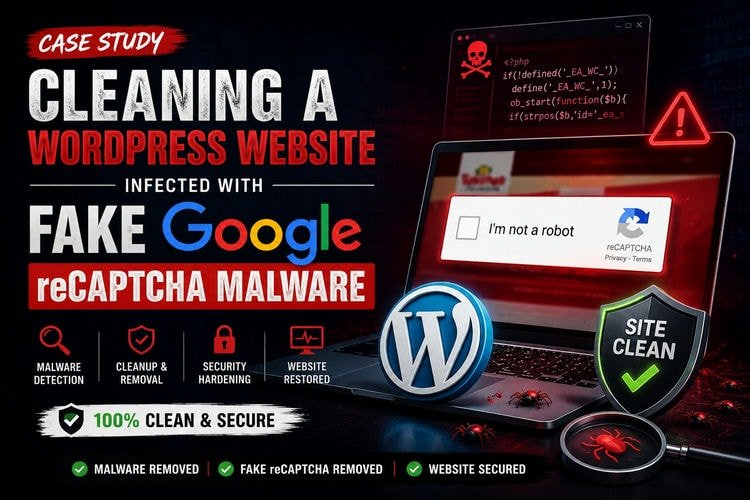
Recently, one of my regular Fiverr clients contacted me. He said that whenever someone visited his website, a Fake Google reCAPTCHA page appeared before loading the website.
At first, it looked like Google’s normal “I’m not a robot” verification. But the client never added this feature to the website. So, he thought something was wrong.
He gave me access to his Hostinger hosting account. I started checking the website. After a few minutes, I understood that the website was infected with malware. It was not only one malware file. The attacker had added several backdoors, fake plugins, spam posts, and extra admin users.
In this case study, I will explain how I found the malware and how I cleaned the website.
First Investigation
I usually do not start with a malware scanner. First, I check the website files manually.
Inside the public_html folder, I noticed some unknown PHP files. Those files did not belong to a normal WordPress installation.
This made me think that someone had uploaded malicious files.
Then I opened the wp-config.php file.
Normally, this file contains only the WordPress configuration. But this one had a very long block of encoded PHP code.
It started like this:
if (!defined('_EA_WC_')) {
    define('_EA_WC_',1);
    ob_start(function($b){
After this, there were hundreds of lines of unreadable code.
This code should never be inside a normal wp-config.php file.
Usually, attackers hide malware inside plugins or themes. In this case, they injected the malware directly into wp-config.php. This is not very common. Because this file loads on every page request, the malware starts running before WordPress finishes loading.
Finding the Fake Plugins
After cleaning wp-config.php, I checked the plugins folder.
There I found six plugins that looked strange.
Some of them were:
- customizer-for
- easypost
- tiktok-security-one-collapse
Every plugin had only one PHP file.
The file name was:
advanced-linkflow-control.php
A real WordPress plugin normally has many files and folders. So this looked very suspicious.
When I opened the file, I found this code:
private $server_url =
"\x68\x74\x74\x70\x73\x3a\x2f\x2f...";
The URL was hidden using hexadecimal characters.
After decoding it, I saw that the plugin was connecting to a remote server.
Another part of the code was:
$response = wp_remote_get($url, ['timeout' => 5]);
This means the malware could download instructions from another server.
I also found another interesting part.
add_filter('all_plugins', function ($plugins) {
    unset($plugins[$current]);
});
This code hides the plugin from the WordPress plugin list.
So the malware can stay active, but the website owner cannot easily see it.
Malware Inside mu-plugin
Next, I checked the mu-plugin folder.
Many people forget to check this folder.
Inside it, I found another malicious PHP file.
The code looked like this:
if(!function_exists('ok1pj2s1wu3knn0f')){
    function taqhou1rx7adne($i){
The whole file was full of random function names and encoded strings.
It was very difficult to read.
This kind of code is often used to hide malware from security scanners.
I removed the whole file after checking it carefully.
Cleaning the Website
After finding the main malware files, I started the cleanup.
First, I replaced all WordPress core files with clean files from the same WordPress version (6.8.5).
After making sure everything worked correctly, I updated WordPress to the latest version.
Then I removed:
- the malware from wp-config.php
- all fake plugins
- the malicious mu-plugin
- unknown PHP files
- other infected files found during manual checking
Security Scan
After the manual cleanup, I scanned the website with:
- Wordfence
- Virusdie
Both scanners found a few more infected files.
I removed those files manually.
Then I scanned the website again.
This time, both scanners reported that no malware was detected.
Other Problems I Found
The attackers also changed other parts of the website.
I found 244 spam posts.
I deleted all of them.
Then I checked the WordPress users.
There were four administrator accounts.
The client confirmed that three of them were unknown.
I removed those three accounts.
I also noticed that the homepage was broken.
The attacker had changed the front page settings.
I went to Settings → Reading and selected the correct homepage again.
The website started working normally.
Final Steps
Finally, I updated:
- WordPress
- Themes
- Plugins
I did not update Elementor Pro because the client was using it without a valid license.
I suggested buying an official license so future updates can be installed safely.
Result
After finishing the work,
- The fake Google reCAPTCHA page disappeared.
- The malicious code inside wp-config.php was removed.
- All fake plugins were deleted.
- The mu-plugin malware was removed.
- 244 spam posts were deleted.
- Three unauthorized admin accounts were removed.
- The homepage was restored.
- WordPress and other components were updated.
- Wordfence and Virusdie did not detect any malware in the final scan.
Conclusion
This case reminded me that manual investigation is still very important. Security scanners are helpful, but they cannot always explain how the malware works or where it starts.
In this website, the first clues were the unknown PHP files, the injected code inside wp-config.php, the fake plugins, and the malware inside the mu-plugins folder.
After manual cleanup and multiple security scans, the website was working normally again. This case also showed that checking only the plugins is not enough. Every important WordPress folder should be checked carefully during malware cleanup.
Every malware infection is different, and finding the real cause is important. If your WordPress website has been infected or is behaving strangely, feel free to contact me. I’d be happy to help you clean and secure your website.
About the Author

Munem Sahriar
Munem Sahriar is a Web Developer and Security Consultant with 6+ years of experience, specializing in WordPress development, website security, malware removal, and vulnerability resolution. He has resolved security issues for 1500+ websites, developed 50+ sites, and worked with clients across 60+ countries, along with solid knowledge of digital marketing.
WordPress Development and Security Support
From WordPress development to malware removal and blacklist recovery, I help fix errors and secure your website efficiently.